Discord Configuration Guide
This guide explains how to configure the Discord adapter and connect Nekro Agent to a Discord Bot.
Before You Start
- You have already deployed Nekro Agent
- You can open the Discord Developer Portal
- You have a Discord server where you can invite a bot
Step 1: Create a Discord application and bot
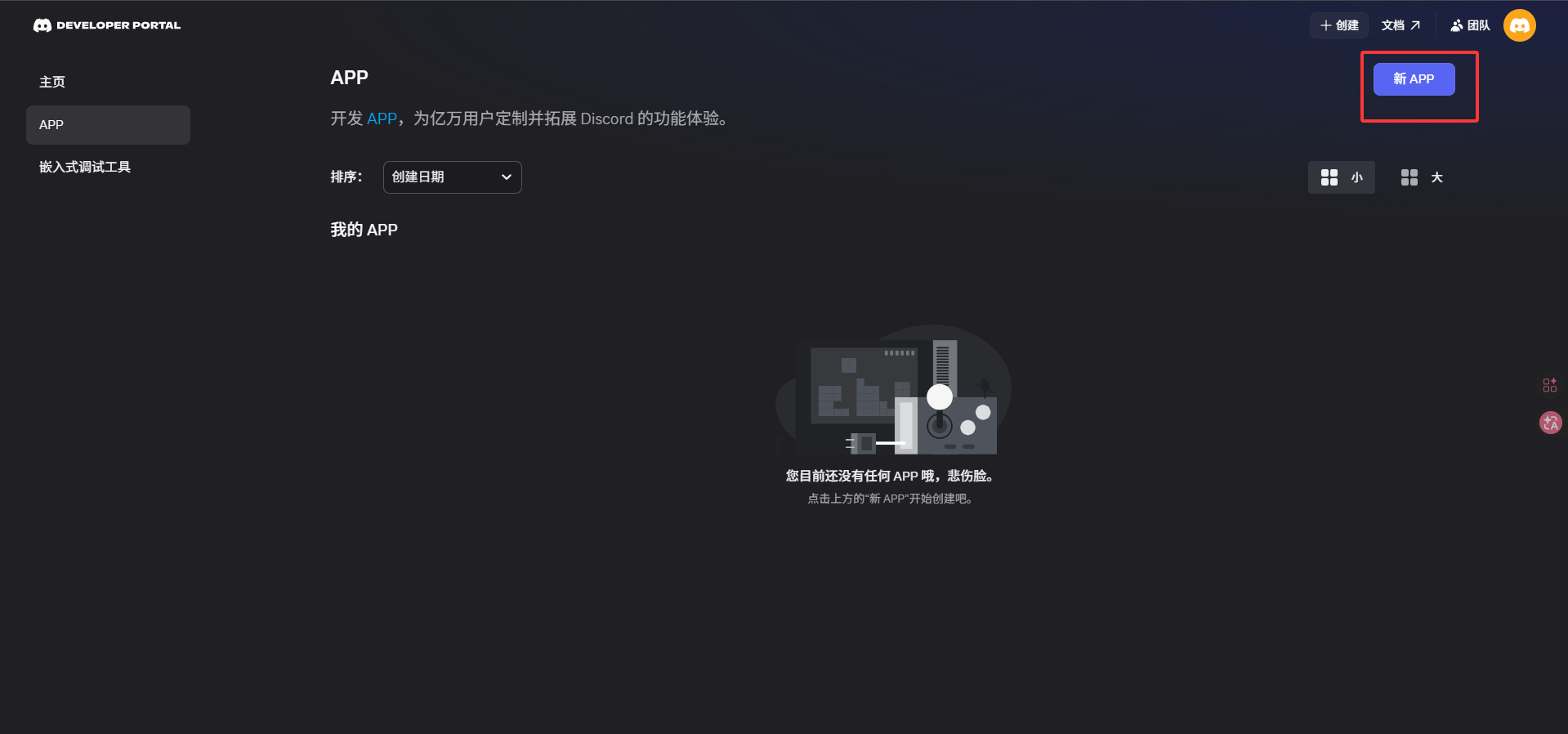
- Open the Discord Developer Portal
- Click
New Application - Enter the application name and create it
- Open
Botin the left sidebar
Step 2: Copy the Bot Token
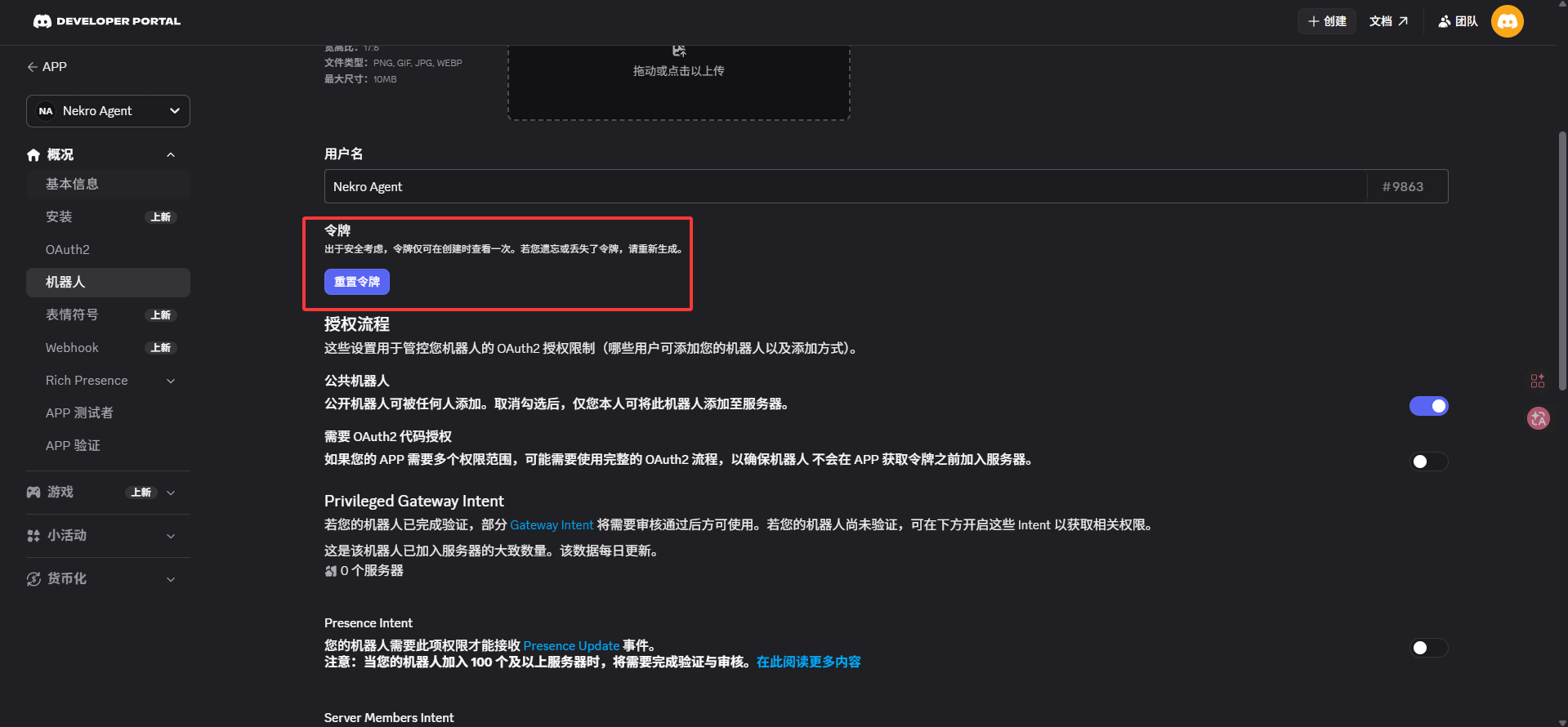
On the Bot page:
- Find
Token - Click copy, or reset the token and copy the new value
- Save it for later use in Nekro Agent
Step 3: Enable the required intents
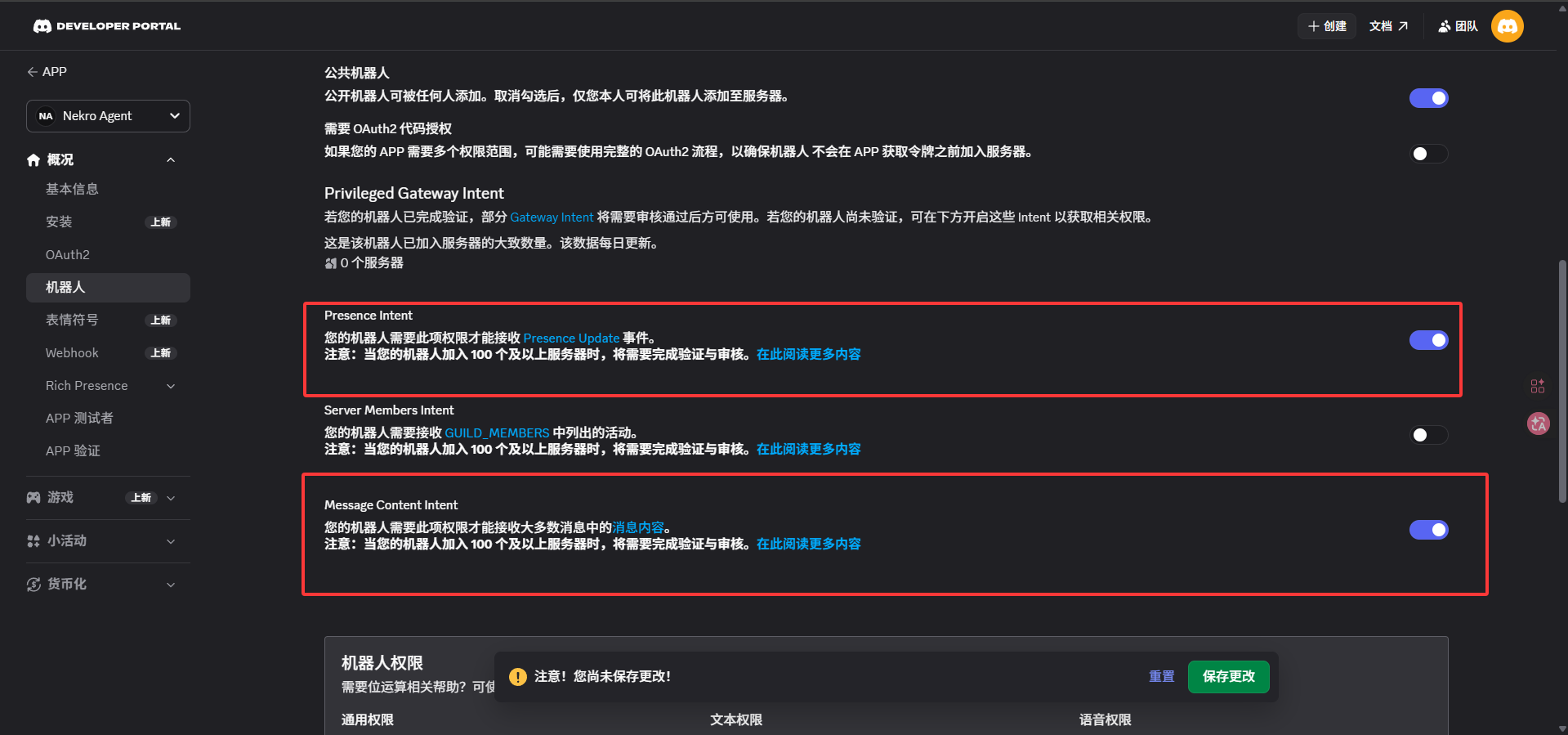
To let the bot read messages normally, enable at least:
PRESENCE INTENTMESSAGE CONTENT INTENT
If you do not enable MESSAGE CONTENT INTENT, the bot usually cannot receive message content.
Step 4: Invite the bot to your server
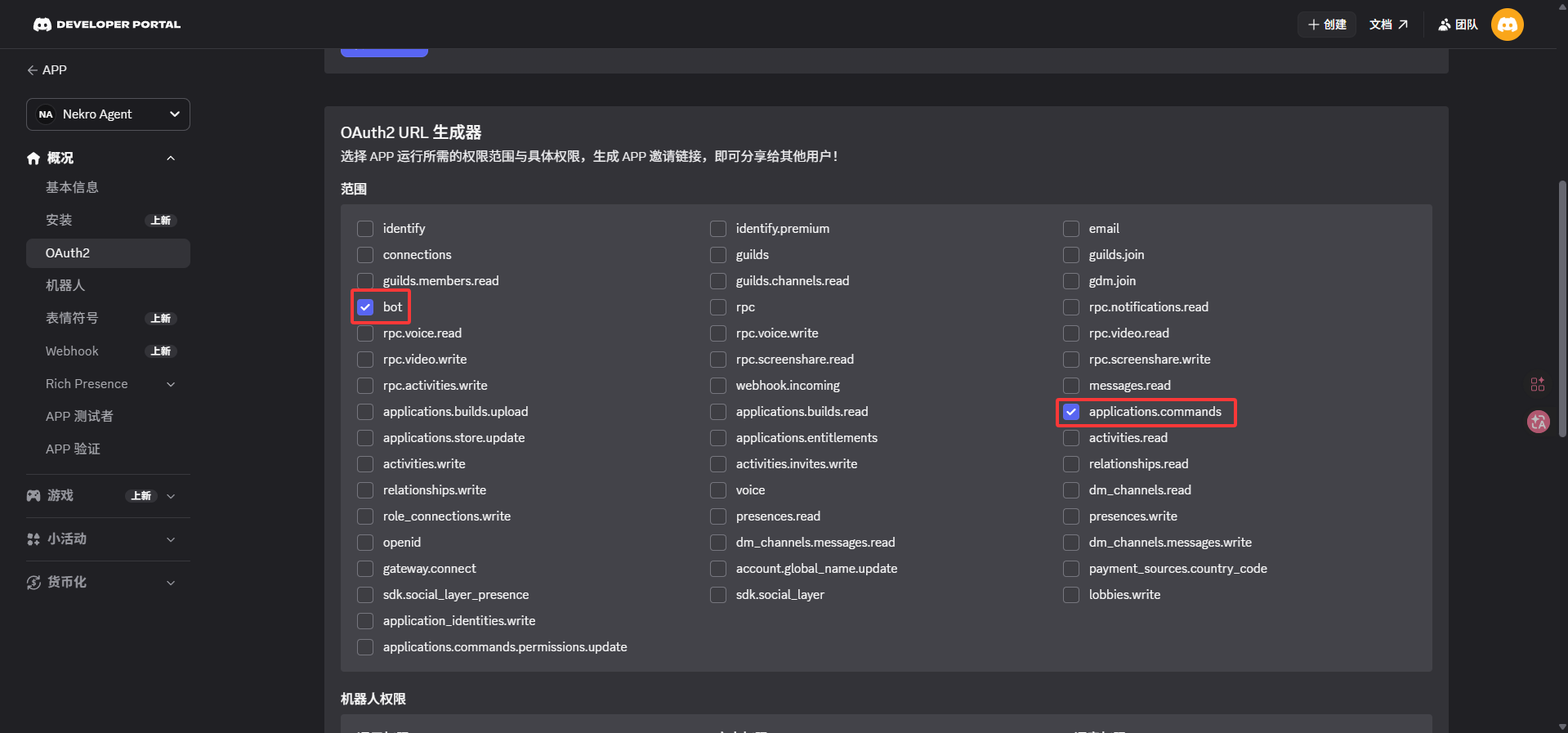
- Open
OAuth2->URL Generator - Under
SCOPES, check:botapplications.commands
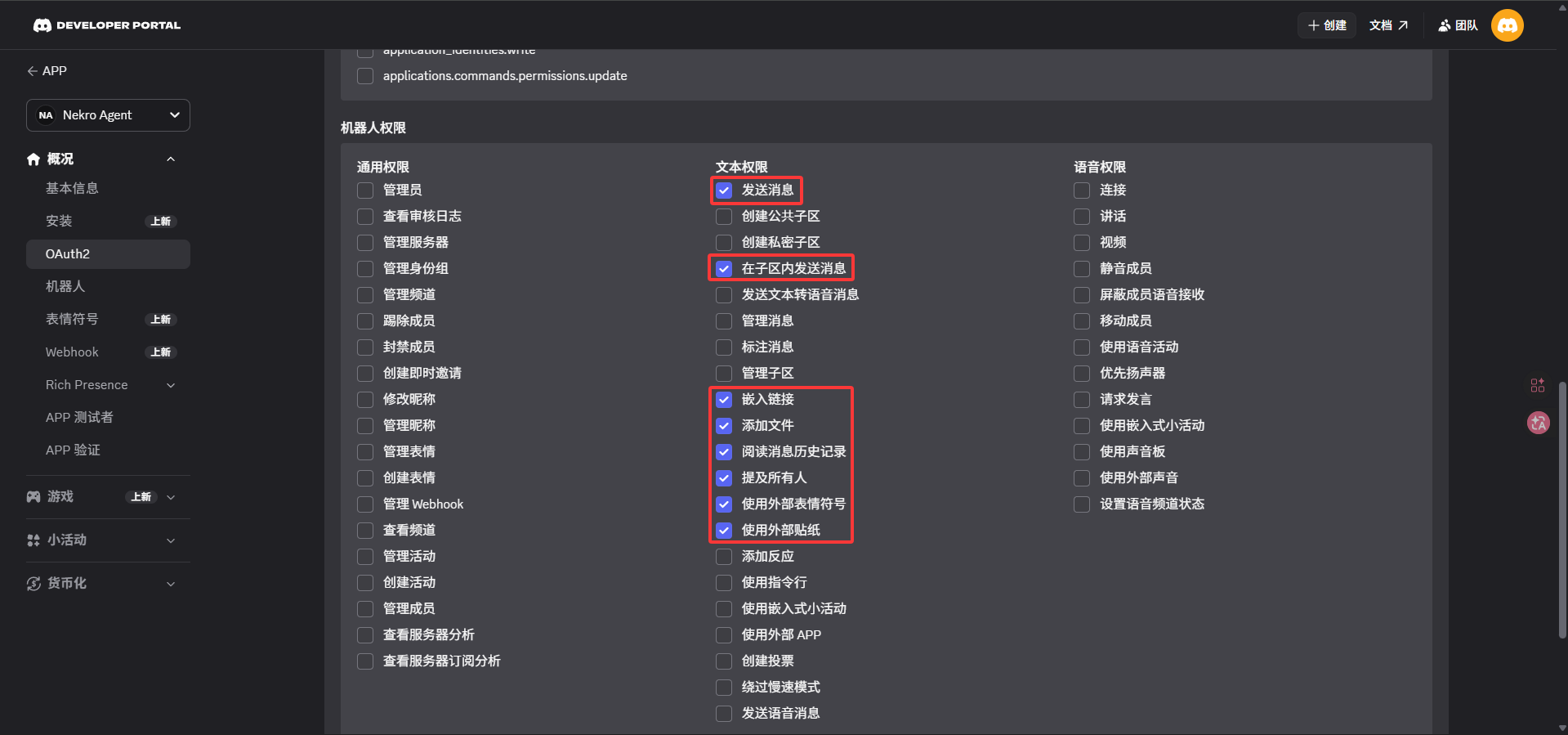
- Under
BOT PERMISSIONS, check at least:Read Messages/View ChannelsSend MessagesEmbed LinksAttach FilesRead Message History
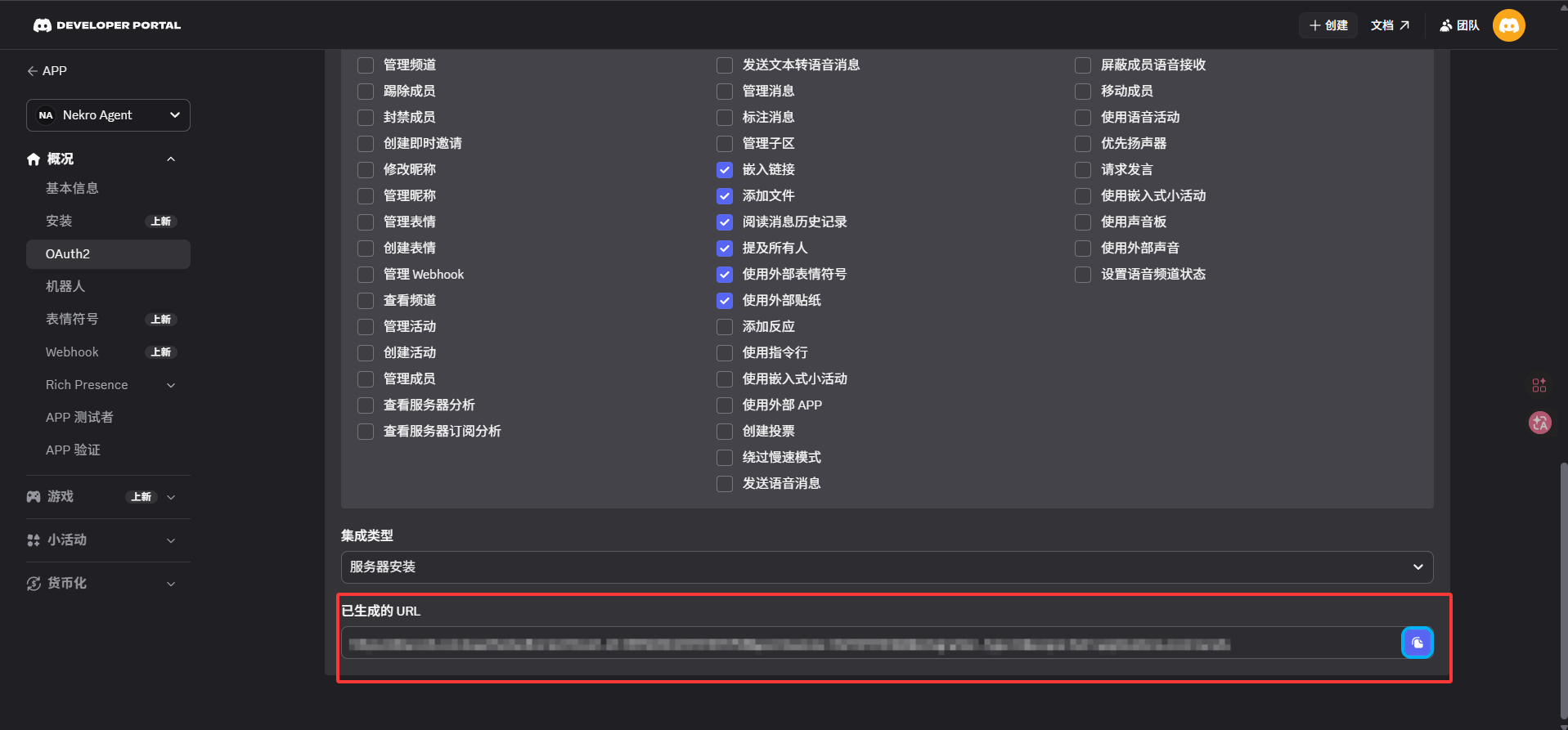
- Open the generated invite link and add the bot to your server
Step 5: Fill in the settings in Nekro Agent
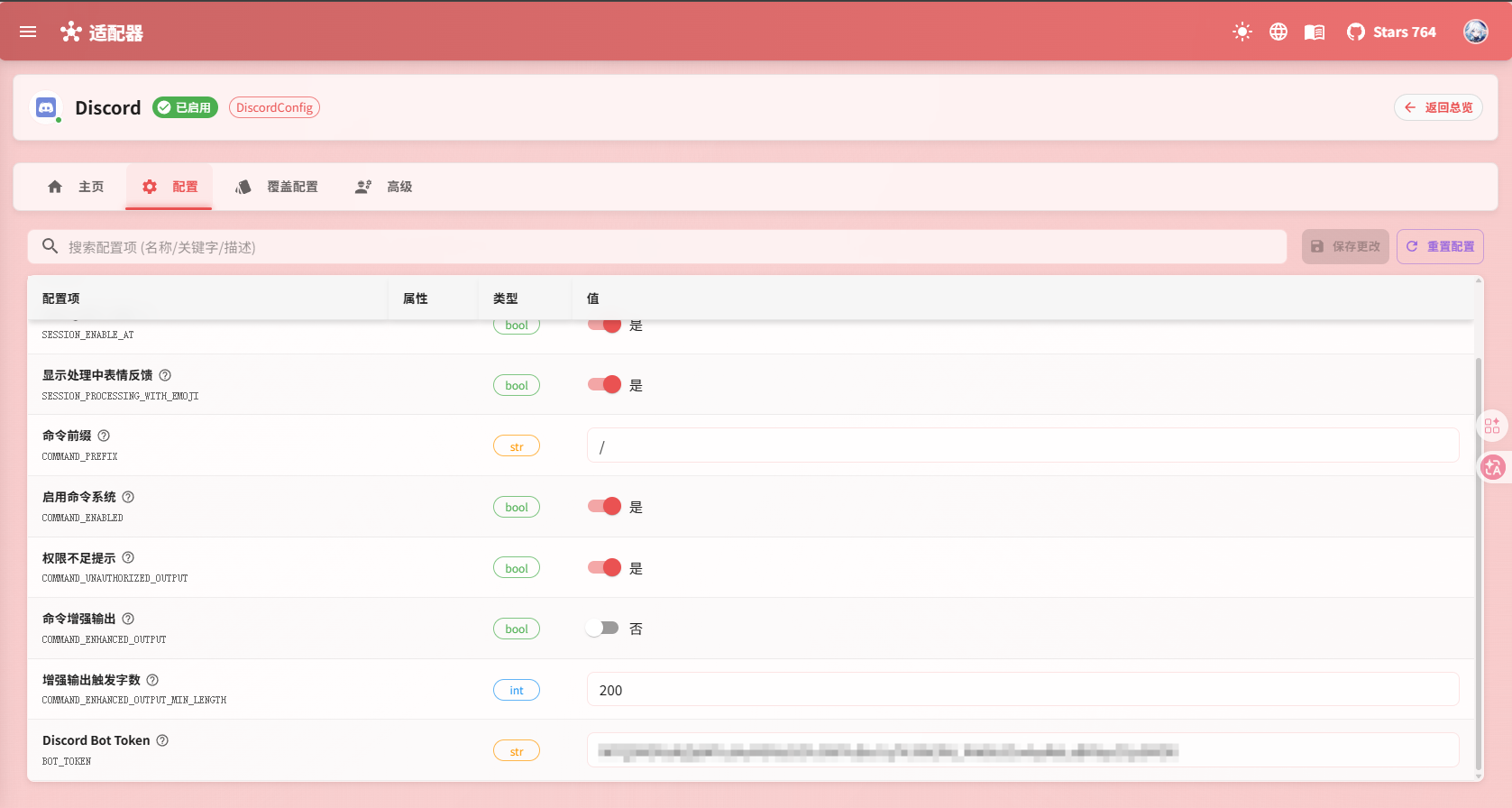
- Open
Adapters->Discord - Turn on
Enable Adapter - Fill in
Discord Bot Token - If your network requires a proxy, also fill in
Proxy URL - Save the settings and restart Nekro Agent
Step 6: Confirm that the setup works
- In your Discord server, find a channel where the bot has permission
- Send a test message
- If Nekro Agent can reply normally, the setup is successful
What you actually need to fill in
Discord Bot Token: Required. From the Discord Developer Portal
Common Problems
The bot is online, but does not reply
Check these first:
- Whether
MESSAGE CONTENT INTENTis enabled - Whether the bot has permission to read and send messages in the current channel
- Whether the token filled into Nekro Agent is still valid
The bot never joined the server
This is usually caused by missing permissions in the invite link, or by choosing the wrong server during the invite flow. Regenerating the invite link usually fixes it.