Feishu Configuration Guide
This guide explains how to configure the Feishu adapter and connect Nekro Agent to Feishu.
Before You Start
- You have already deployed Nekro Agent
- You have permission to create an enterprise self-built app in Feishu
- You can open the Feishu Open Platform
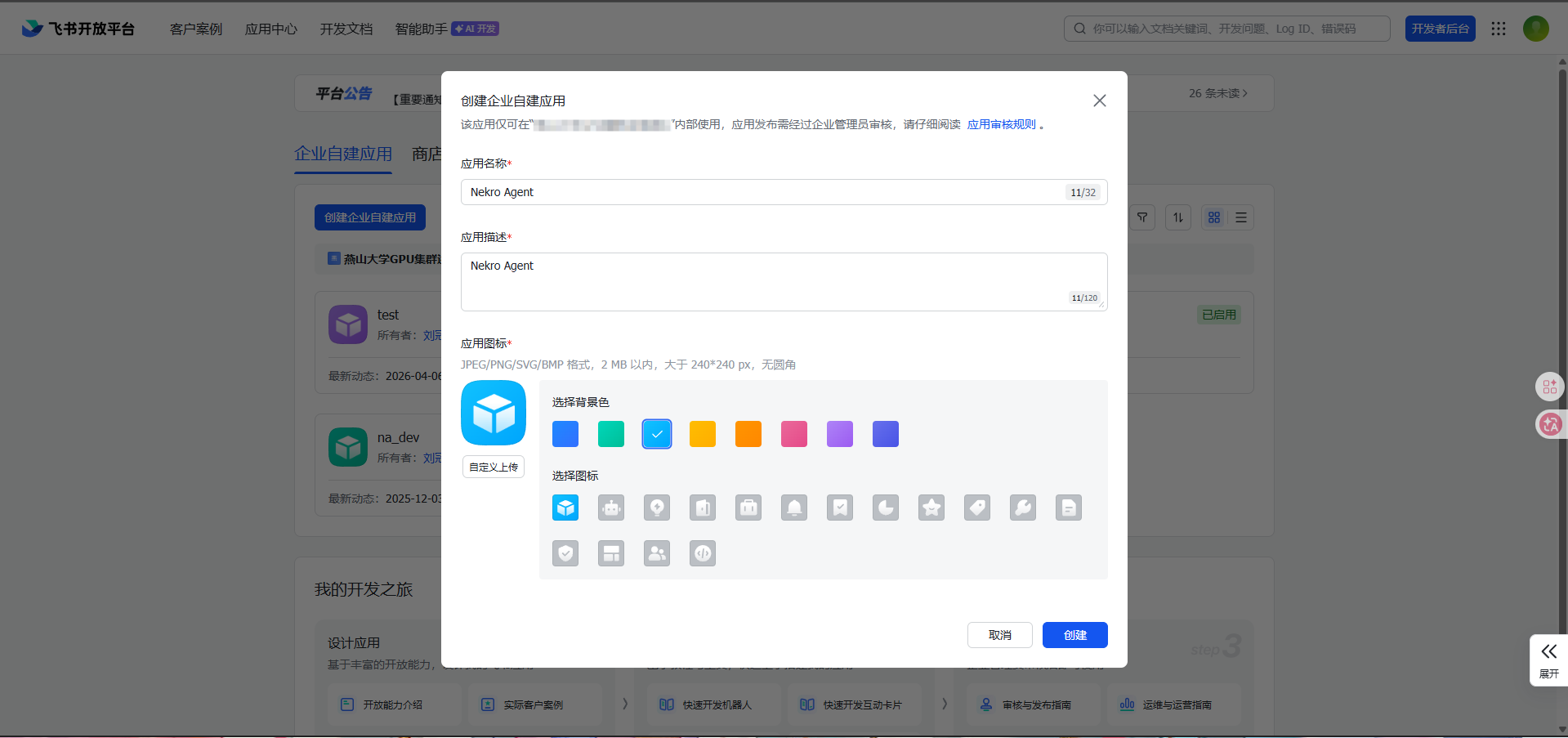
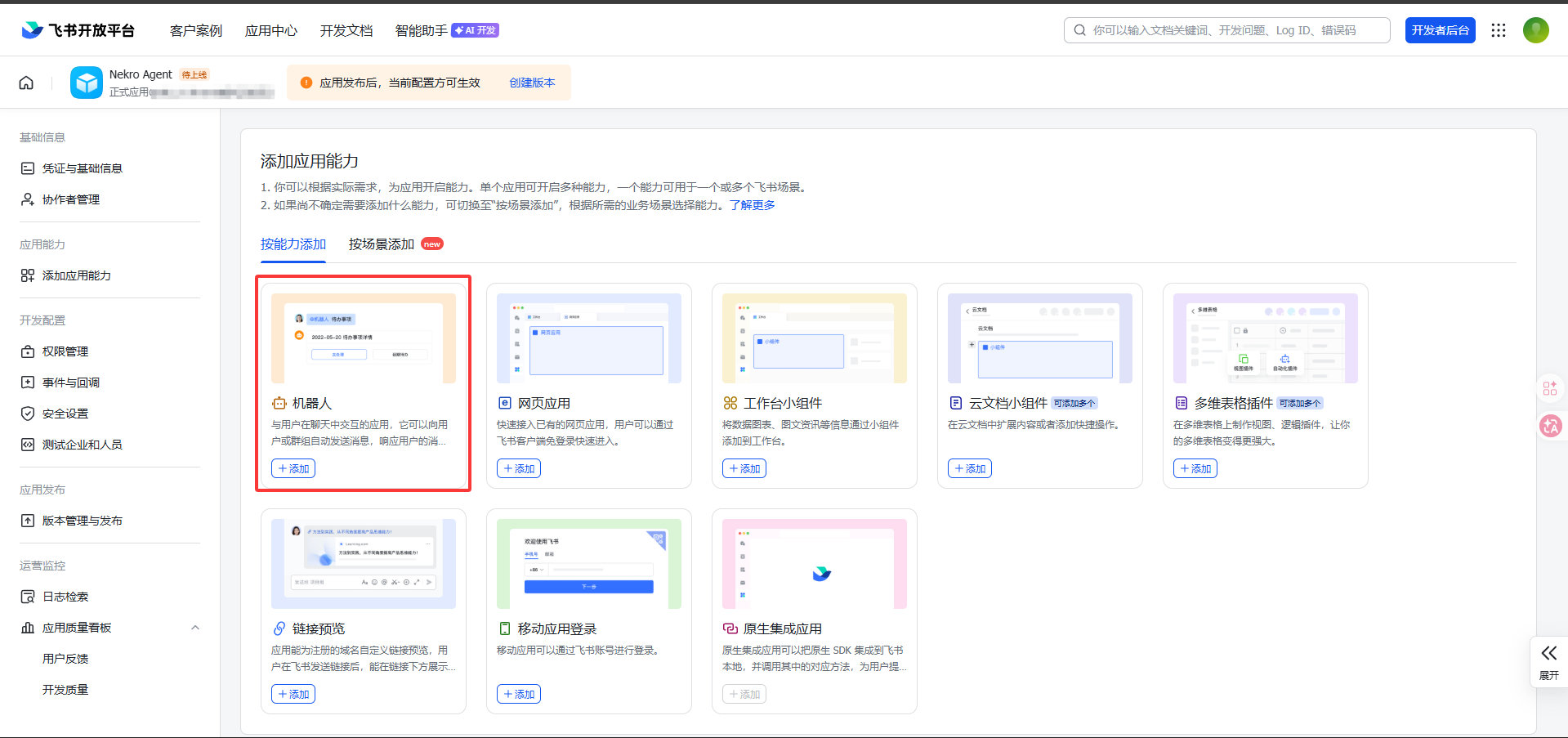
Step 1: Create a Feishu app and add the bot capability
- Open the Feishu Open Platform
- Create an
Enterprise Self-built App - Fill in the app name and description
- Add the
Botcapability to the app
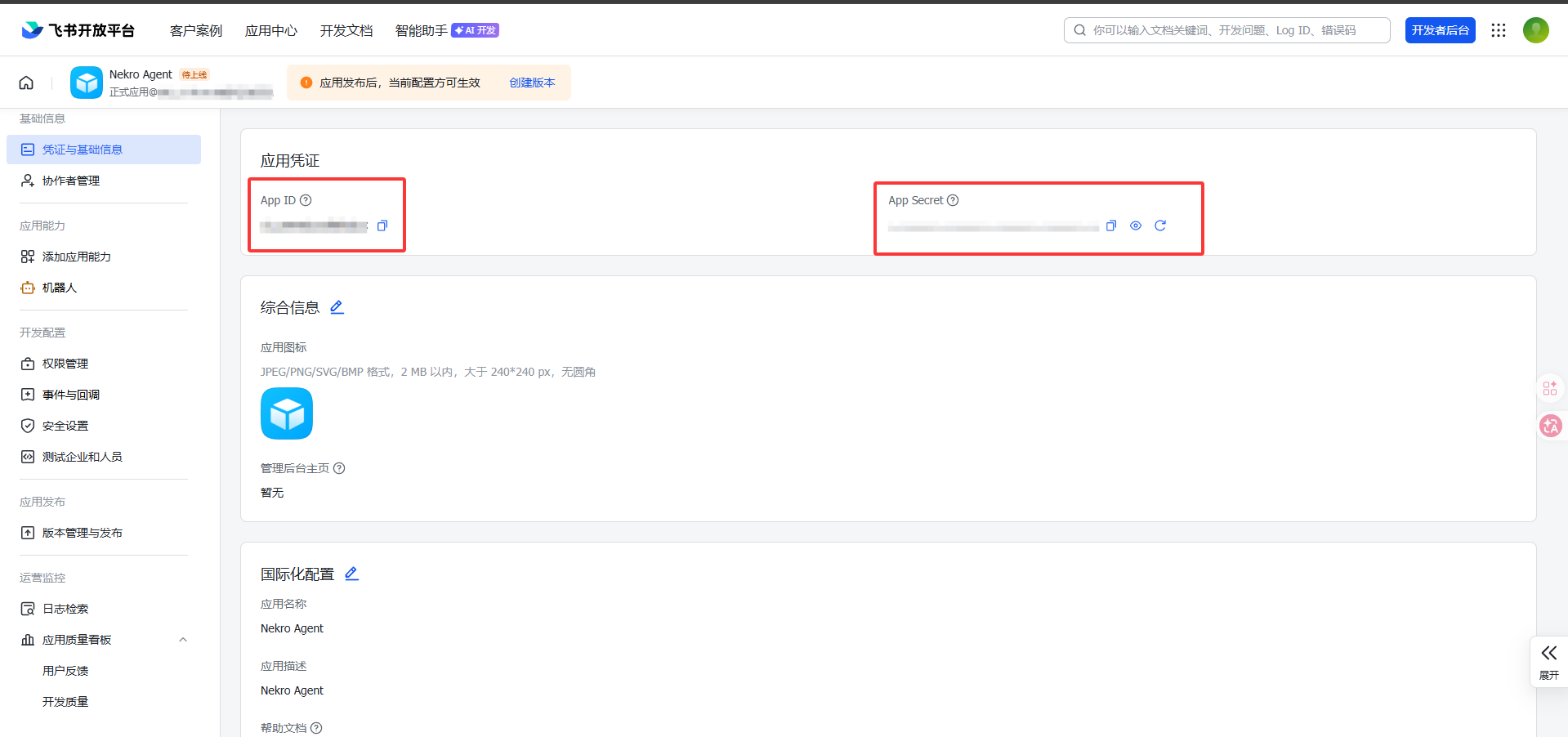
Step 2: Get App ID and App Secret
Open Credentials & Basic Information and record these two values:
App IDApp Secret
You will fill both of them into Nekro Agent later.
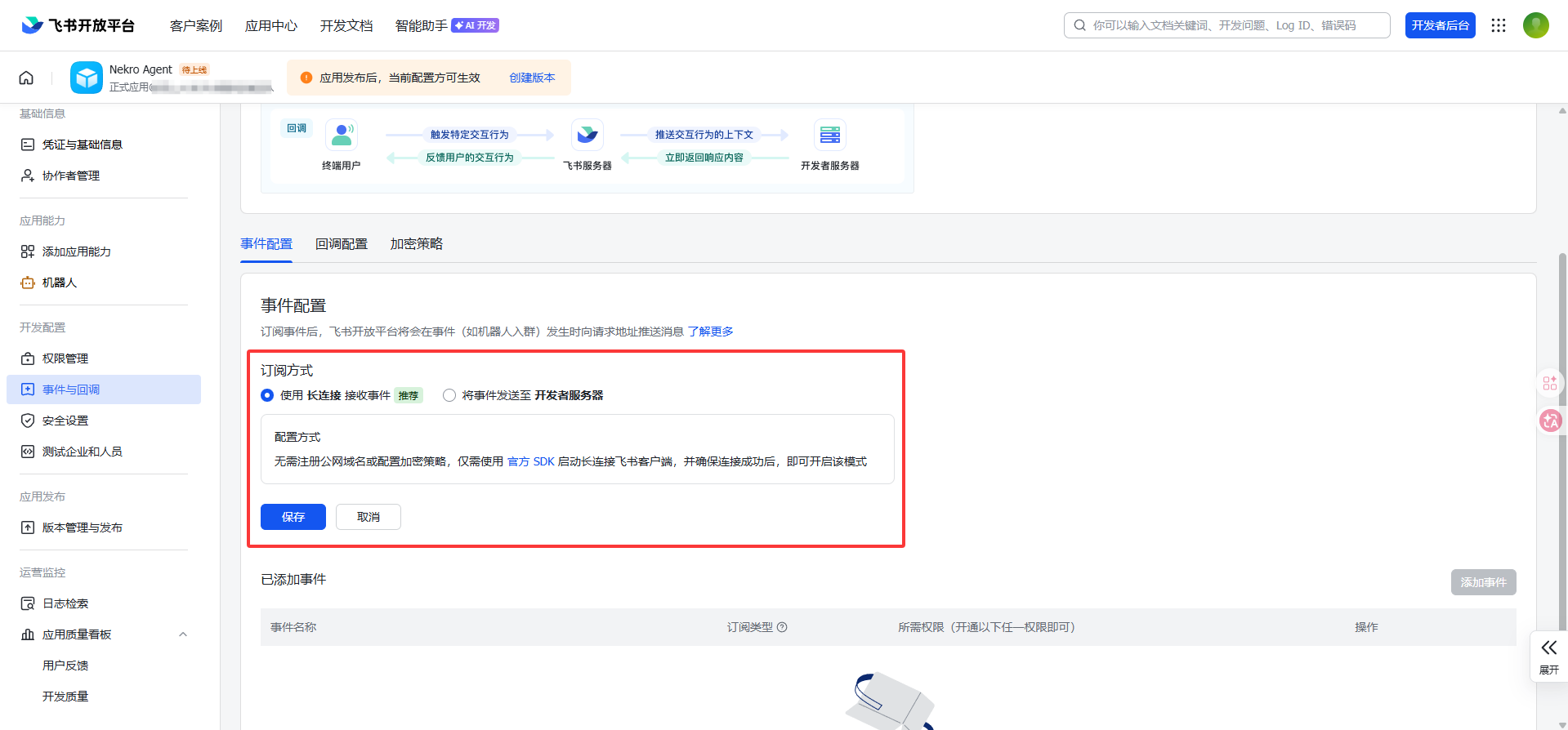
Step 3: Switch event subscription to long connection mode
- Open
Events & Callbacks->Event Configuration - Select
Long Connectionmode - Add the event
im.message.receive_v1
Be careful on the Feishu side: you must use long connection mode here. Do not configure it as an HTTP callback.
Step 4: Configure app permissions
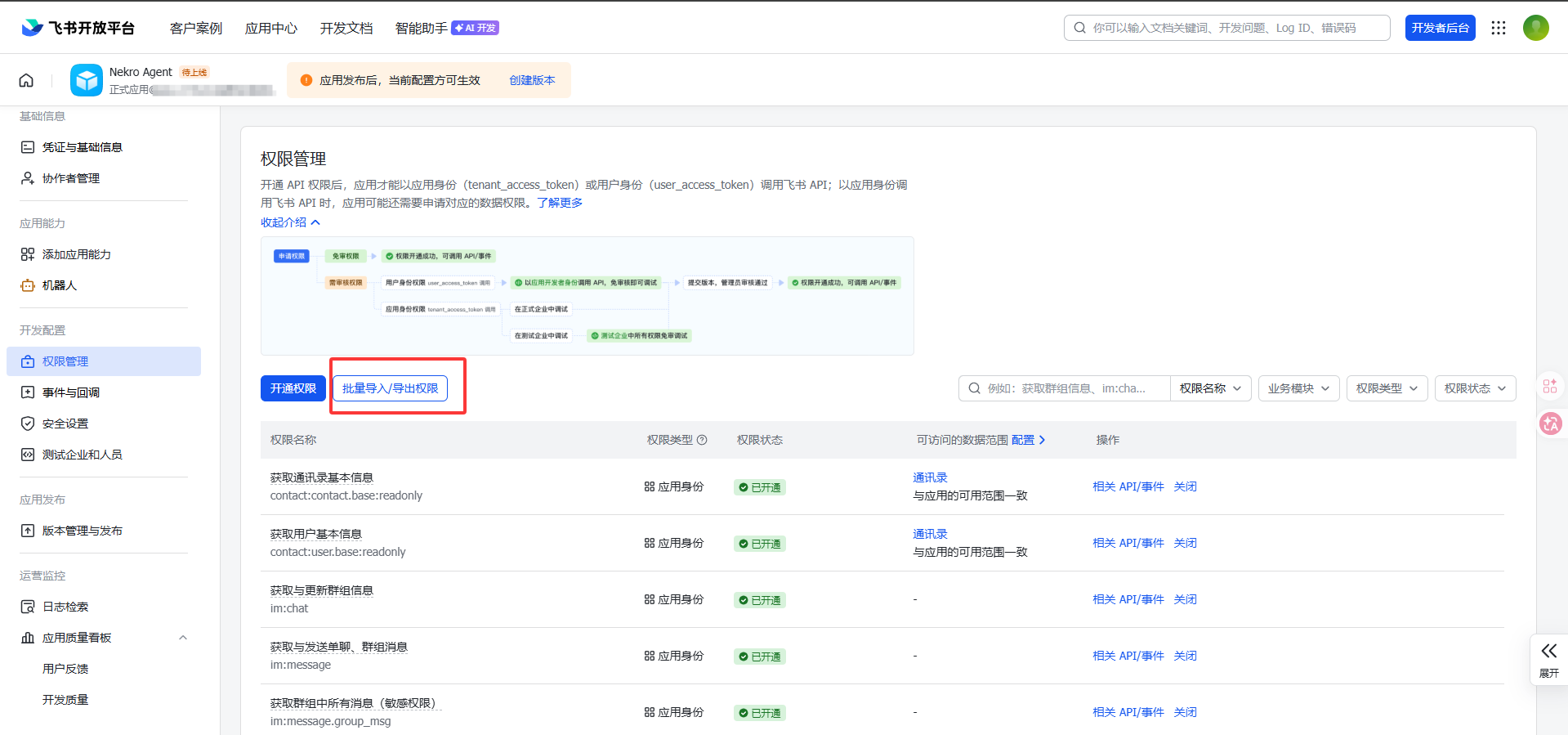
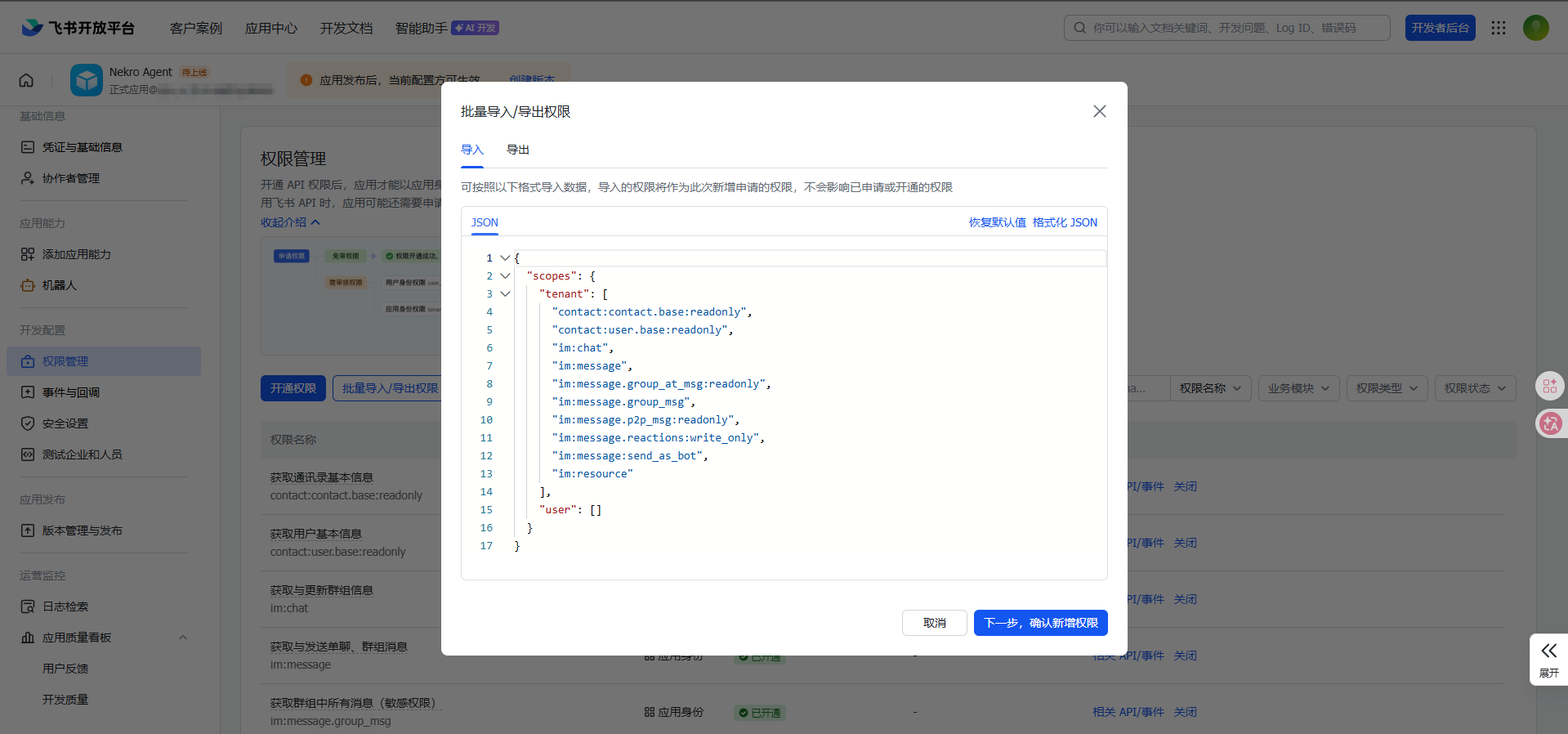
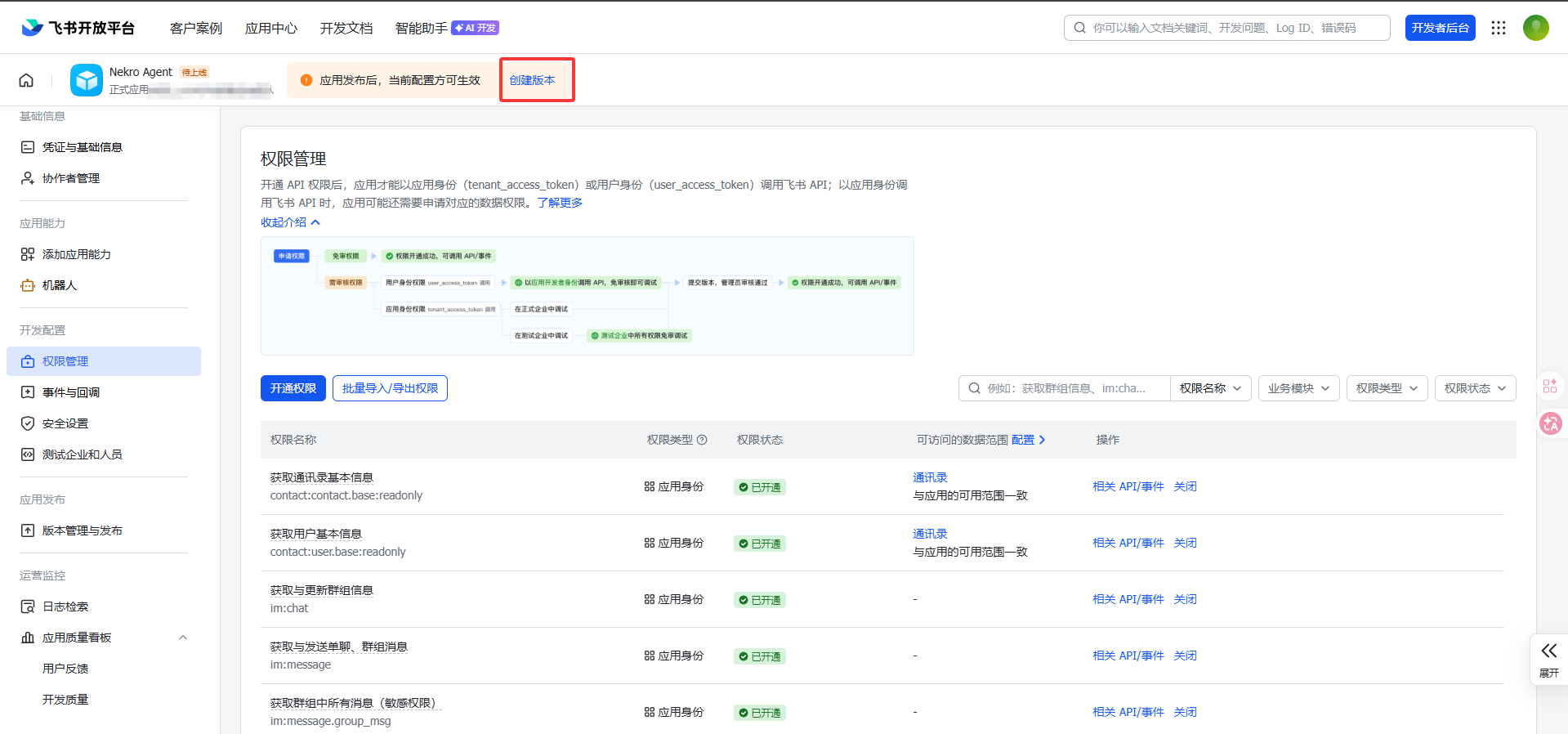
Open Permission Management, click Bulk Import/Export Permissions, replace the existing content with the following, and then click next:
json
{
  "scopes": {
    "tenant": [
      "contact:contact.base:readonly",
      "contact:user.base:readonly",
      "im:chat",
      "im:message",
      "im:message.group_at_msg:readonly",
      "im:message.group_msg",
      "im:message.p2p_msg:readonly",
      "im:message.reactions:write_only",
      "im:message:send_as_bot",
      "im:resource"
    ],
    "user": []
  }
}
If the permissions are incomplete, the most common symptom is that the adapter can connect, but cannot send messages or cannot receive group messages.
Step 5: Fill in the settings in Nekro Agent
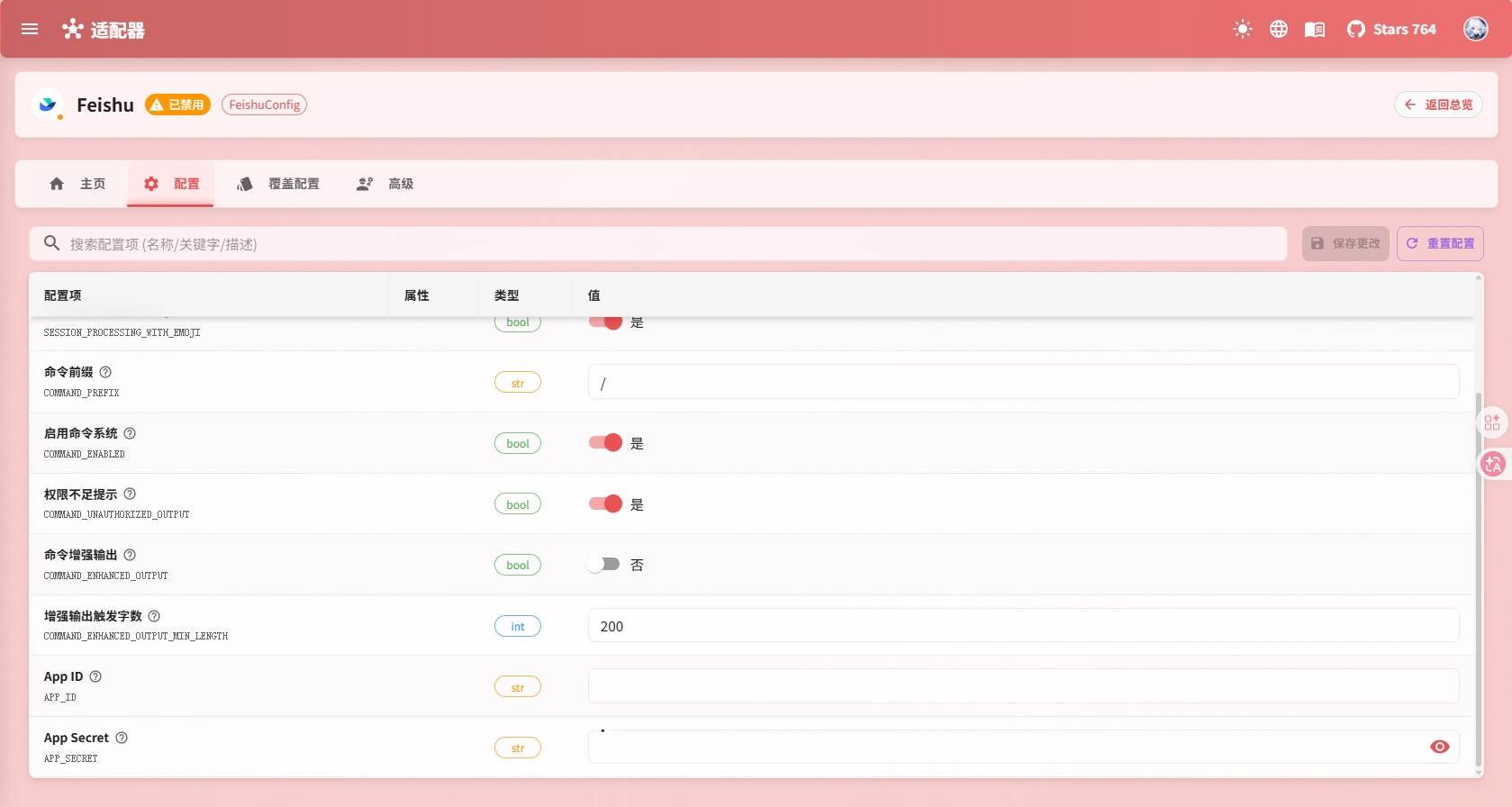
- Open
Adapter Configuration->Feishu - Turn on
Enable Adapter - Fill in
App ID - Fill in
App Secret - Save the settings and restart Nekro Agent
Step 6: Publish and install the app
- Create a version in the Feishu console
- Submit it for release as required by the platform
- Confirm that the app has been installed in the target tenant
- Add the bot to a test group, or send a private message to the bot directly
Step 7: Confirm that the setup works
- Send a message to the bot in a private chat
- Or
@mentionthe bot in a group and send a message - If Nekro Agent replies normally, the setup is successful
What you actually need to fill in
APP_ID: From the Feishu Open PlatformAPP_SECRET: From the Feishu Open Platform
Common Problems
The Feishu console is configured, but the bot does not reply
Check these first:
- Whether event subscription is really set to
Long Connection - Whether
APP_IDandAPP_SECRETwere copied correctly - Whether the app has already been published and installed
- Whether all required permissions have been enabled
The bot replies in private chat, but not in groups
This usually means the group-message related permissions are missing, or the bot has not been added to the group correctly.